Your money, at a glance.
See income, expenses, and what’s left after the spending you’ve logged. Your globe puts your income sources on the map.
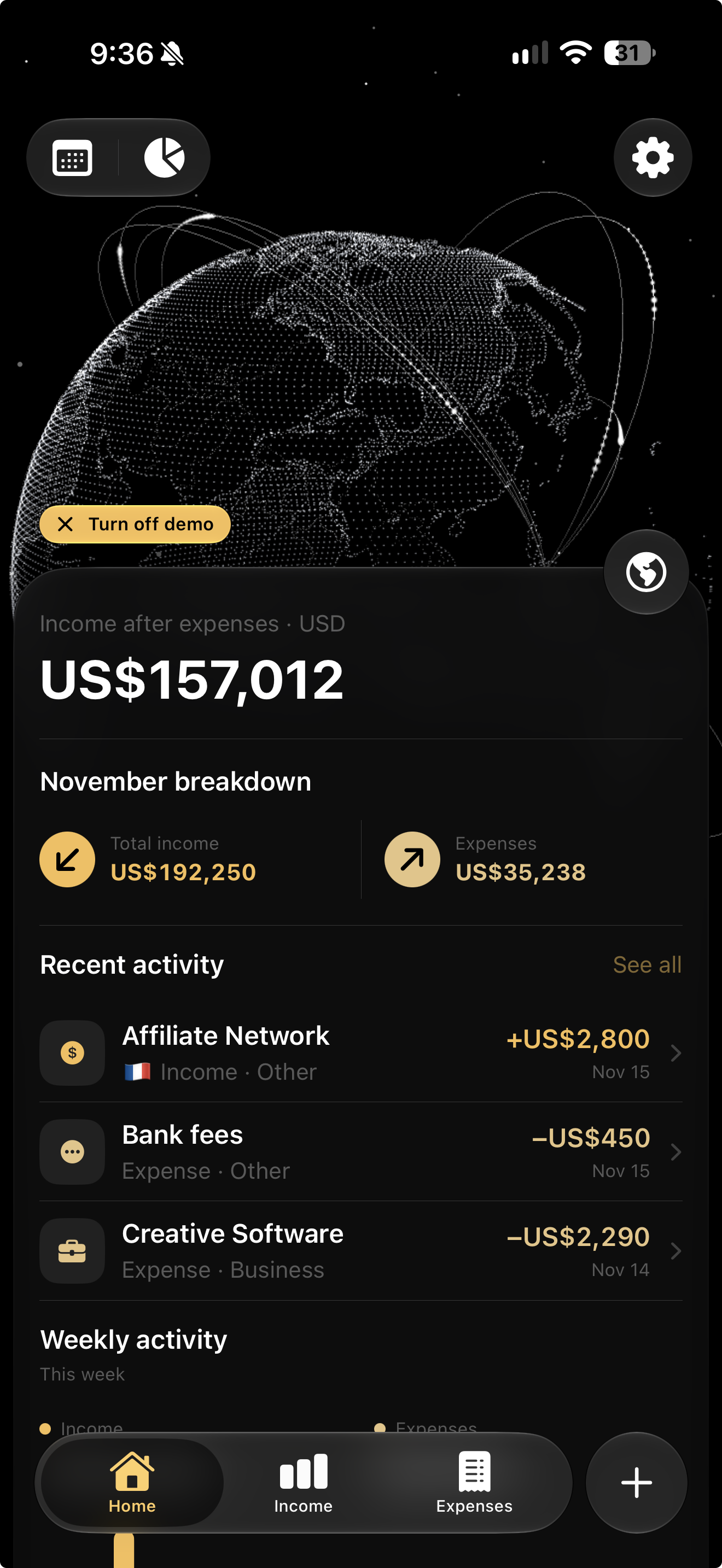
Track income from clients, side gigs, and work around the world. Keep expenses and multiple currencies in one clear view.
ONE-TIME PURCHASE · NO SUBSCRIPTION · NO ACCOUNT
INCOME. EXPENSES. ALL IN ONE PLACE.
A SIMPLE DAILY HABIT
Payday is an income and expense tracker for iPhone. Bring salary, client payments, and platform payouts together—even when they arrive in different currencies.
Save client payments, salary, and platform payouts. Reuse your sources next time.
Log work expenses and everyday purchases, with categories that keep things organized.
Review your income and logged expenses together, in your chosen home currency.
A CLOSER LOOK
Income, expenses, and reports—all together.
See income, expenses, and what’s left after the spending you’ve logged. Your globe puts your income sources on the map.
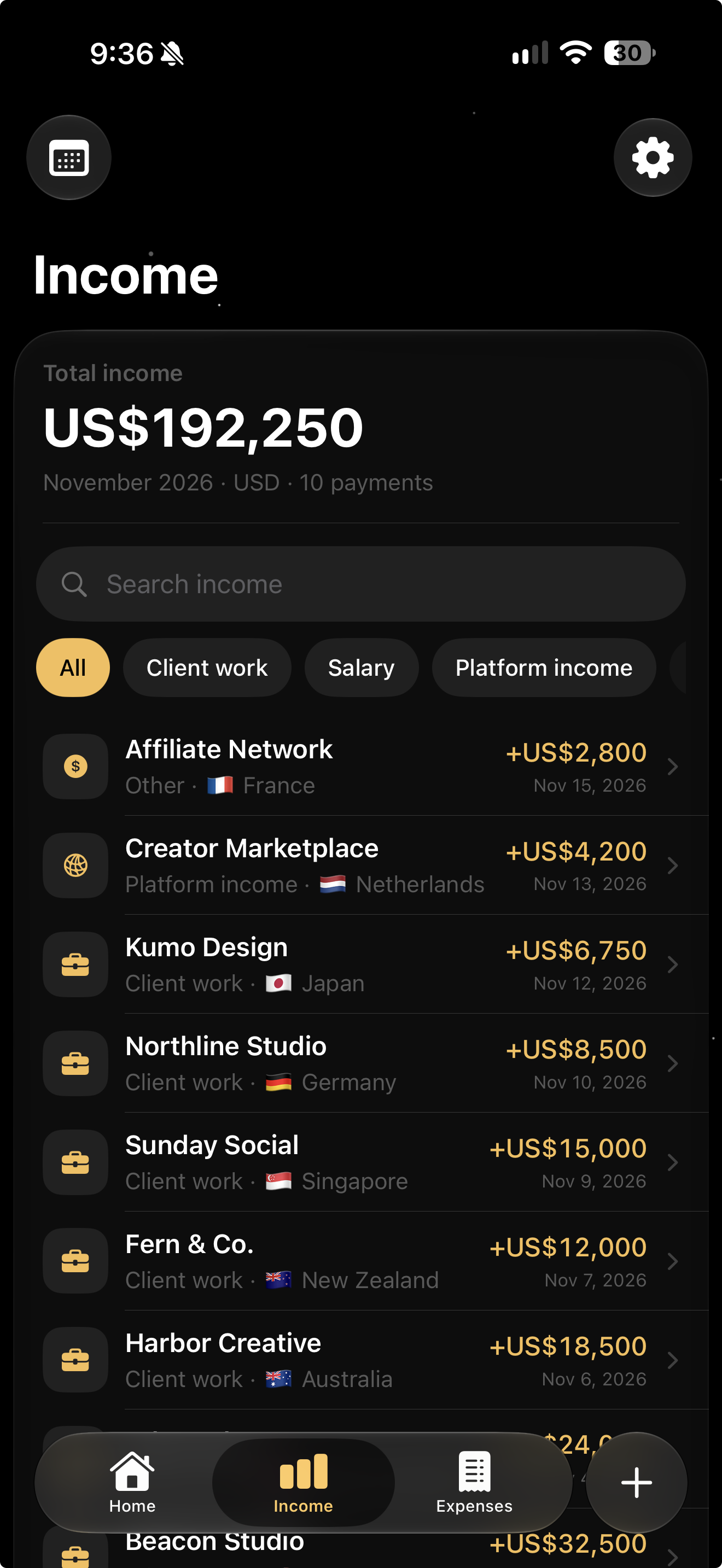
Client payments, salary, platform payouts, and side gigs. Keep the amount, currency, country, and details in one place.
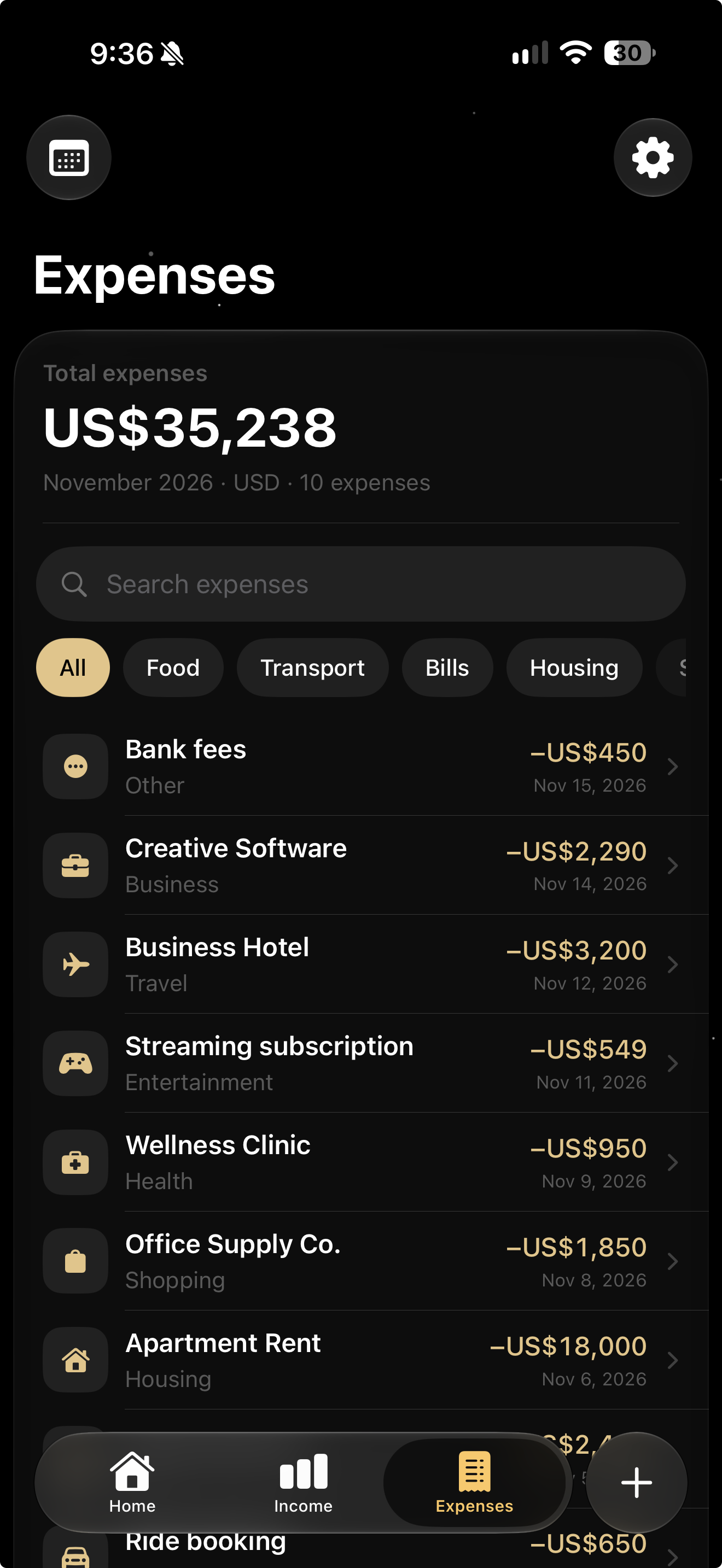
How to track multiple income sources ↗Keep work tools, bills, and everyday spending organized. Find an expense by name or browse by category.
Turn your records into monthly and yearly reports. See the breakdown, then export your records to CSV.
Build a useful money check-in ↗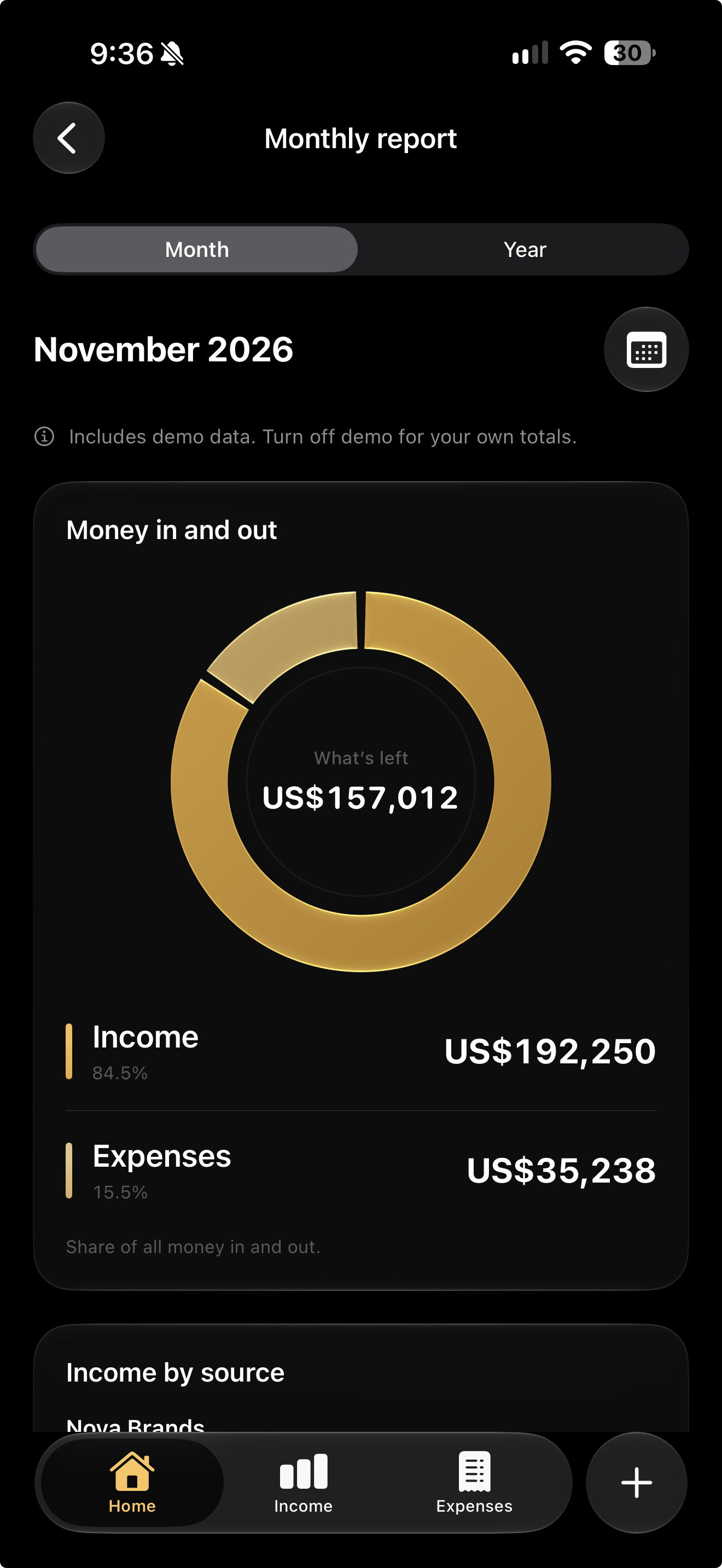
LESS TYPING. MORE TRACKING.
A quick entry or a stack of receipts. Start your way.
Add income and expenses manually, or import multiple entries from a CSV.
Speak an income or expense, then review the entry before you save.
Read receipts, invoices, or statement images with on-device Apple Intelligence.
Scan and dictation require a supported device with Apple Intelligence enabled and a supported language.
No Payday account. Your financial records stay on your device, and everyday tracking works offline.
Our privacy policyThe paid app includes the core tracking features. Premium globe designs are optional, separate one-time purchases.
See App Store pricingTHE PAYDAY BLOG
Compare seven extra-income ideas, choose one that fits your week, and turn an existing skill into a clear offer with a sample, price, and first outreach message.
Choose a specific freelance service, build a relevant sample, and approach suitable clients abroad. Includes an outreach message and a paid-project checklist.
Plan a useful first digital product, test it with potential buyers, and work through files, pricing, fees, delivery, and support before a small launch.
GOOD TO KNOW
Yes. The paid app includes income and expense tracking, reports, and the core features. There is no subscription. Premium globe designs are optional purchases, sold separately. Check the App Store for pricing in your region.
Yes. Keep each payment’s original amount and currency, and view approximate totals in your chosen home currency. Conversions use European Central Bank reference rates.
Yes. Save different sources for client work, salary, platform payouts, and other income. Record the country and original currency for each payment, then review your entries together. Payday tracks records you add; it does not find clients, send invoices, or move money.
No. Add your records manually, import a CSV, or use supported scan and dictation features. You review the details before saving.
No Payday account is needed, and everyday tracking works offline. Internet access is needed to refresh exchange rates and make or restore optional globe purchases.
Existing users keep core tracking access with this update. For a previously purchased premium globe, use Restore Purchases in globe customization.
Keep up with what comes in, what goes out, and what’s left.
MADE FOR IPHONE · NO SUBSCRIPTION · NO ACCOUNT